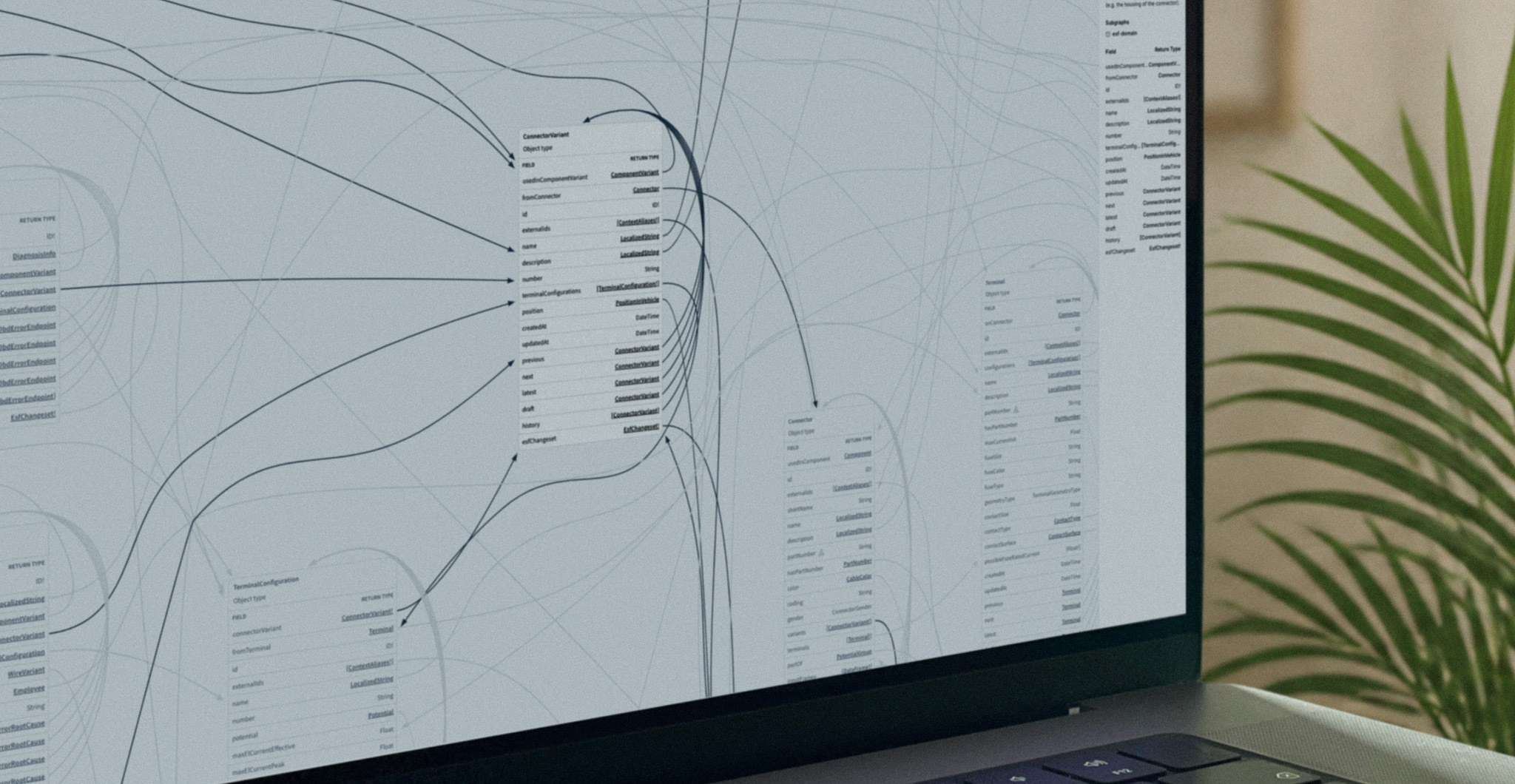
This guide explains what an engineering knowledge graph is, why relational databases and documents fall short for complex products, and how a knowledge graph becomes the foundation for trustworthy AI in engineering.
What is an engineering knowledge graph?
A knowledge graph represents information as nodes (the things: a requirement, a component, a function, a test) and edges (the relationships between them). Add a shared vocabulary, called an ontology, and the graph stops being just data and starts carrying meaning a machine can reason over.
In an engineering context, that means the graph knows a requirement is verified by a test, that a function is realized by a piece of software running on a specific controller, and that changing one node has consequences for everything connected to it. For a plain-language primer, we cover the basics in knowledge graphs explained: how you turn data into valuable insights.
Why relational databases and documents fall short
Traditional engineering data lives in tables and documents. Both were built for a world where structure was fixed and questions were known in advance. Complex products break that assumption:
- Relationships are the point, and tables hide them. Answering "what breaks if we change this signal?" means joining dozens of tables no one designed to be joined.
- Documents trap knowledge. A requirement buried in a PDF cannot be traced, queried, or reasoned over automatically.
- The truth is fragmented. Requirements, CAD, software, and test data sit in separate tools that were never meant to talk to each other.
A knowledge graph is built for exactly the questions relational models struggle with: highly connected, cross-domain, and constantly changing.
Knowledge graph versus custom schemas
A common shortcut is to bolt together a custom schema per project. It feels faster, but it quietly recreates the silos you were trying to remove, because every new schema is another island of meaning. We unpack this trap in the ontology shortcut that costs you tomorrow. A shared, domain-specific ontology is what lets one graph serve the whole enterprise rather than one team.
What an engineering knowledge graph connects
The value shows up when the graph spans the entire product. Requirements link to the functions that satisfy them, functions link to the software and hardware that implement them, and everything links to the tests that verify it. That connected model is what makes change-impact analysis, variant management, and end-to-end traceability possible. It is also why software-defined vehicles demand a domain-specific knowledge graph, and how we build a trusted, scalable foundation under the hood, described in how we build engineering AI on product data and semantics.
Why knowledge graphs make AI trustworthy in engineering
Large language models are powerful but ungrounded: ask one about your product and it will guess. A knowledge graph gives AI a factual structure to reason over, so answers are traceable back to real engineering data instead of invented. This pairing of knowledge graphs and language models is the practical path to AI you can trust in high-stakes engineering, and our paper on knowledge graphs and LLMs in systems engineering goes deep on the architecture.
Knowledge graphs at enterprise scale
Real engineering data is distributed across teams, suppliers, and systems. A knowledge graph does not require ripping all of that into one database. Federated queries let you ask questions across distributed dataspaces while the data stays where it lives, a technique we detail in federated queries in dataspaces.
From data silos to one queryable truth
The end state is simple to describe and hard to fake: every engineer, and every AI agent, asks questions against one connected model of the product and gets a trustworthy, traceable answer. That is how you finally break knowledge silos for innovation. The SPREAD platform is built to create and govern exactly this kind of engineering knowledge graph, and you can explore a connected product model directly in Product Explorer.
WHITEPAPERKnowledge Graphs and LLMs in Systems EngineeringHow connected product data and language models improve traceability and cut engineering effort in complex systems.Get the whitepaper
Frequently asked questions
What is an engineering knowledge graph?
An engineering knowledge graph is a connected, semantic model of a product that links requirements, functions, software, hardware, and test data into one navigable structure. It lets people and AI agents query the whole product and trace relationships across domains, instead of searching disconnected tools.
How is a knowledge graph different from a relational database?
A relational database stores data in fixed tables and hides relationships behind joins, which makes highly connected, cross-domain questions slow and brittle. A knowledge graph makes relationships first-class, so it can answer questions like change impact and end-to-end traceability directly, and it adapts as the product structure evolves.
Why do knowledge graphs matter for AI in engineering?
Language models are powerful but ungrounded, so on their own they guess about your product. A knowledge graph gives AI a factual, structured foundation to reason over, so answers are traceable back to real engineering data instead of hallucinated. That grounding is what makes AI trustworthy in high-stakes engineering.
What is an ontology in a knowledge graph?
An ontology is the shared vocabulary and set of rules that define what the nodes and relationships in a graph mean. It is what turns raw connected data into knowledge a machine can reason over, and using a shared domain ontology, rather than a per-project custom schema, is what lets one graph serve the whole enterprise.
The organizations pulling ahead stopped storing engineering data and started connecting it.
Want to see an engineering knowledge graph built on your product data? Talk to our team.
Weighing a graph against the database you already run? See our deep dive on knowledge graph vs relational database: where joins break down, and how to decide which one a problem needs.
Wondering how a knowledge graph powers a reliable AI assistant? See GraphRAG: how grounding a language model on a graph retrieves connected facts instead of similar text, and beats standard RAG on complex questions.
Ready to move from concept to build? Our step-by-step guide on how to build a knowledge graph for engineering walks through modeling the ontology, connecting your systems, and turning six tools into one queryable model.
A connected graph also changes test planning. See how risk-based testing uses linked requirements, hazards, components, signals, and test cases to rank what runs and defend what does not.