Provide transparency for Aftermarket product management
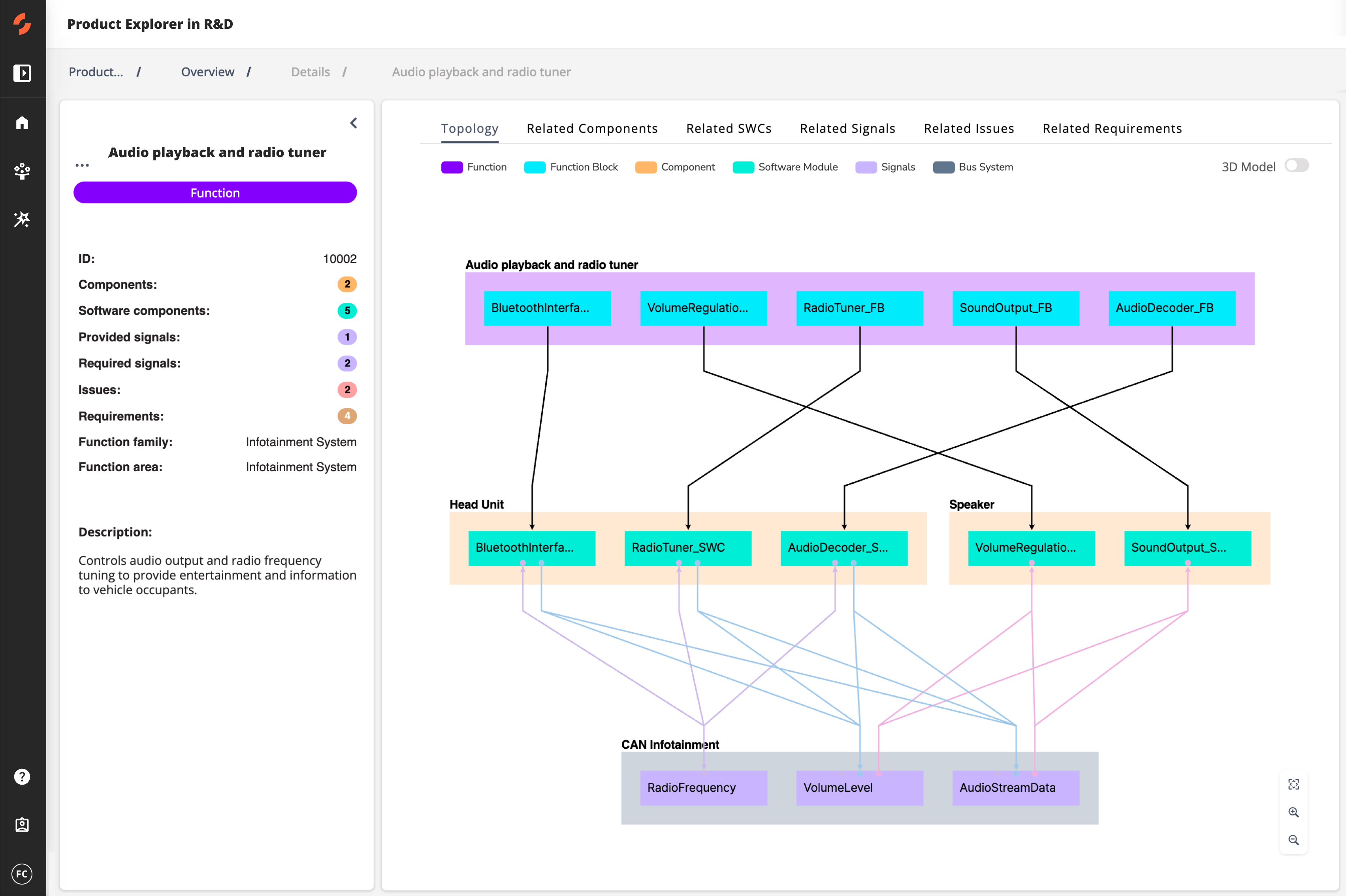
Analyze how functions are implemented across ECUs, components, and signals to reveal how failures spread across product variants. Identify weak points and recurring issues, visualizes their system-level impact, and supports design simplification and product optimization.
What can you achieve with this use case?
Trusted by












Understand function realization in the field
Navigate how each function is realized across ECUs, software modules, and components in released vehicles, fully traceable across variants and hardware generations.
Visualize signal and component flows
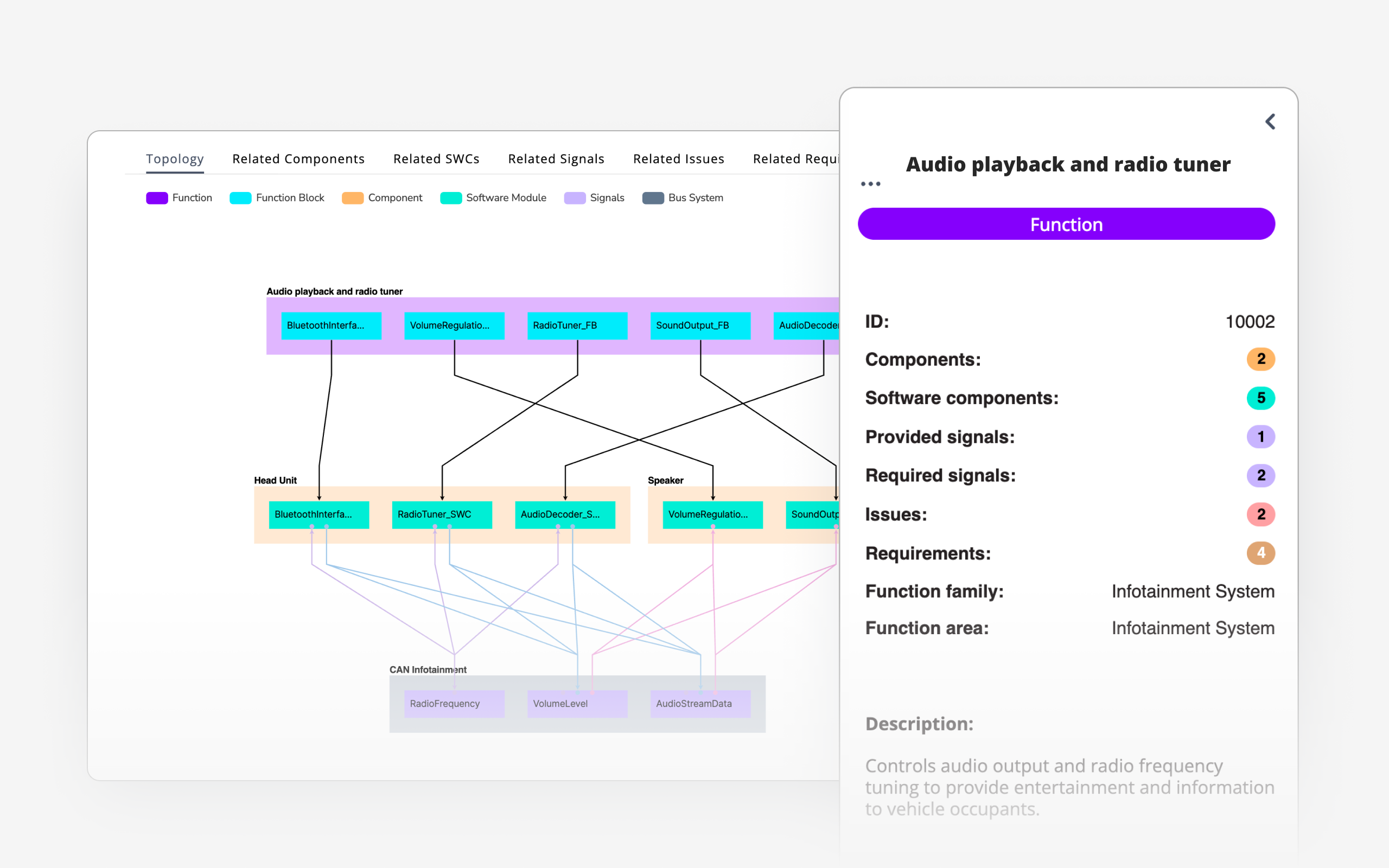
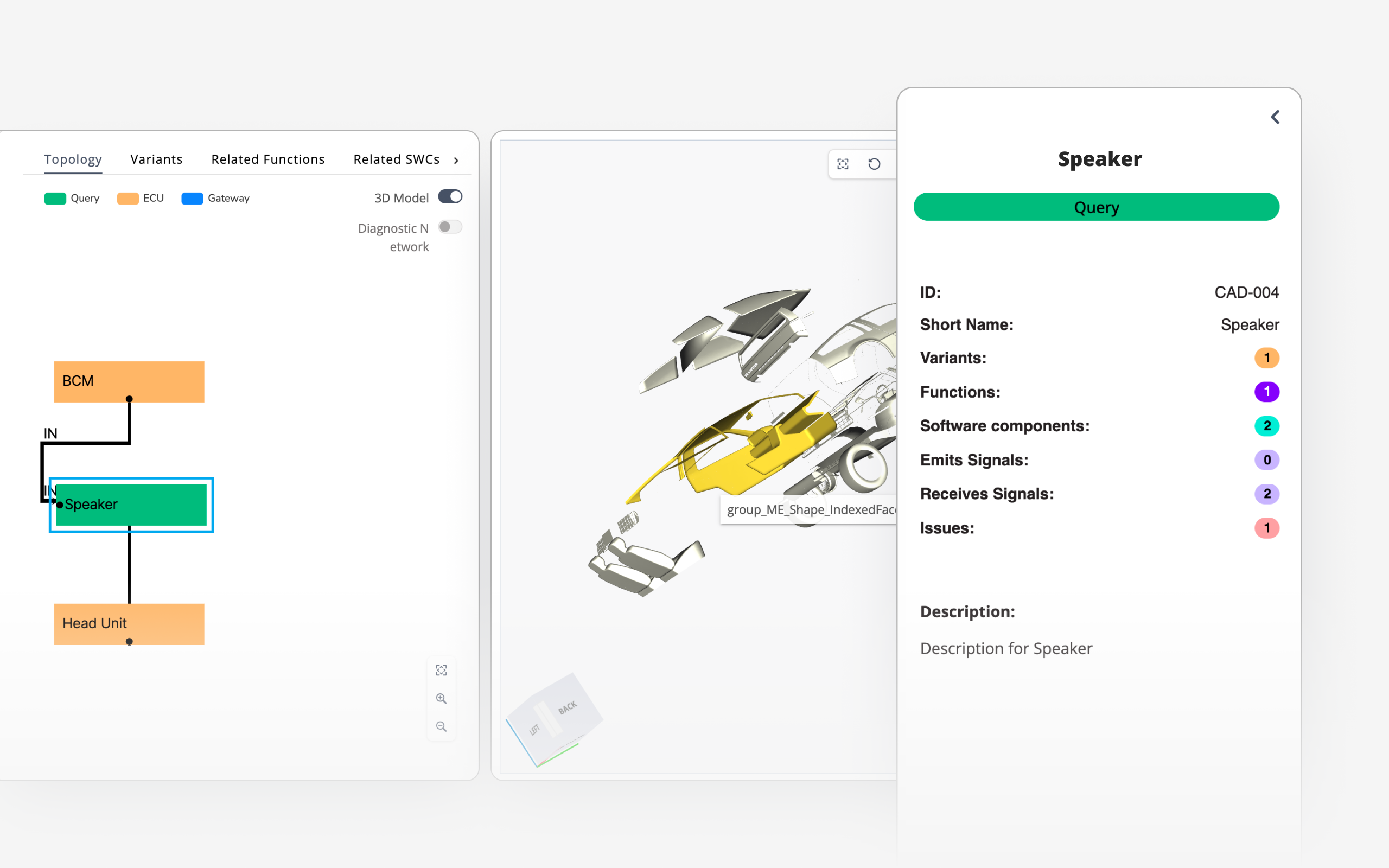
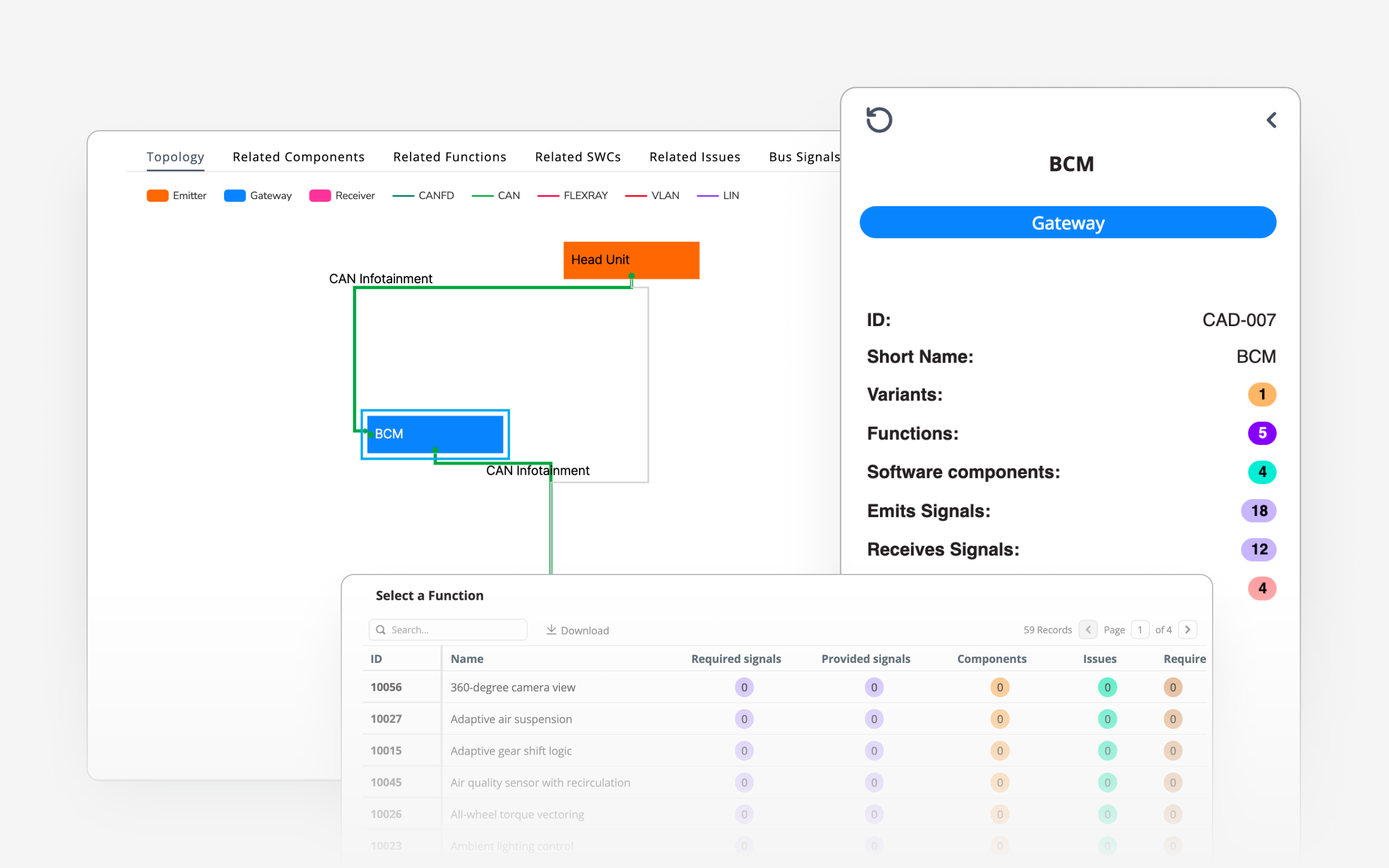
Explore actual signal paths with interactive diagrams, revealing variant-specific routing, gateway transitions, and patterns that explain failure clusters in the fleet.
Uncover system design patterns behind issues
Reveal reuse, fragmentation, or divergence in component usage across models, enabling smarter BoM consolidation, retrofit planning, and platform-level design feedback.
Get an instant tour
See how SPREAD turns complex product data into clear, actionable insights. Take a quick tour and see how this solutions deliver impact.
Get an Instant Tour
By submitting you agree to our privacy policy.
What types of data does SPREAD connect and analyze?
SPREAD integrates critical data from multiple engineering as well as Aftermarket systems, and unstructured sources to provide complete traceability from issues to root cause. It connects and contextualizes:
| Data Type | Description | Typical sources | File Formats needed |
|---|---|---|---|
| Function Data | Mappings between logical functions, software modules, and hardware components (including function hierarchy and realizations) | Company specific system |
.json
.xml
|
| Signal Data | Sender-receiver mappings, communication buses, signal properties, variants | Signal databases (e.g. DBC, ARXML) |
.dbc
.arxml
|
| Vehicle Architecture | Logical and physical structure: components, ECUs, buses, gateways, topologies | Company specific system |
.json
.xml
|
| Variant Configuration | Mapping of feature/function/component presence across vehicle variants | Company specific system |
.json
.xml
|
| Issue Tickets | Description, criticality, affected car, software release, affected function incl. linked parts & software, … | Company specific system |
|
| Data definition | As-is-state of signals, sender-/receiver-ECUs as well as the defined bits | Company specific system |
.arxml
|
FAQ
What is Engineering Intelligence ?
SPREAD’s Engineering Intelligence is a specialized network of AI agents designed specifically for engineers. It is built on three core layers: Rapid Date Ingestion: Connectors integrate data from diverse engineering tools, creating a unified environment where AI agents access structured and unstructured data. Product Twin (PT): Powered by a robust Knowledge Graph, the PT is a digital replica of each product that organizes and contextualizes data, offering a single source of truth. It enables AI agents to analyze product relationships, anticipate challenges, and deliver context-aware insights. Action Cloud: This processing hub is where SPREAD’s AI agents operate, automating tasks like compliance checks, requirements optimization, and error management. Together, these layers enable engineers to focus on innovation while Agentic EI manages the data-intensive tasks.
What is an Engineering Intelligence Graph (EI Graph) ?
The Engineering Intelligence Graph (EI Graph) is the core technology behind SPREAD, mapping and linking various data points and relationships within product data to provide a comprehensive and actionable overview. If you like to learn more about it, please watch our video: Introduction to GraphQL.
What types of data does SPREAD Product Explorer connect and analyze?
The solution connects various data sources, including CAD models, Bills of Materials (BoM), wiring harness data (KBL/VEC standards), and spare parts catalogs. This enables a structured and interactive overview of product configurations and lifecycle updates for Aftermarket operations.
How does SPREAD Product Explorer integrate with existing systems, including PLMs and PDMs?
SPREAD Product Explorer integrates CAD models, Bill of Materials (BOM), wiring harness data (KBL/VEC standards), and can even integrate spare parts catalogs. It also processes repair workflows, disassembly sequences, and technical documentation to enable VIN-specific authoring, validation, and optimization of service procedures. 3D CAD models provide interactive visualizations for precise repair planning and spare parts verification.
Can Product Explorer be customized to meet my specific Aftermarket requirements?
Yes, Product Explorer is designed to adapt to Aftermarket needs. It provides visibility into repair workflows, installed components, and lifecycle data. It is expected to integrate with PLM, PDM, and ERP systems for seamless aftermarket operations.
How does Product Explorer enhance visibility into vehicle and component data?
Product Explorer centralizes fleet and component data, providing real-time visibility into installed parts, software versions, BoM updates, and OTA changes. This ensures aftermarket teams have accurate, up-to-date information to improve service efficiency, optimize spare part planning, and reduce warranty costs.
How does Product Explorer update with changes in vehicle design or service procedures?
Product Explorer is planned to support workflow updates based on evolving BOM, CAD, and engineering data. The goal is to allow service teams to work with the most up-to-date repair sequences, reflecting new vehicle configurations and service requirements as they become available.
Can you show me how Product Explorer works?
Yes, we'd be happy to schedule a follow-up meeting to demonstrate how the solution can integrate with your workflow. Reach out to us through our website or contact our team directly to book your session.
How to
get started
1
Jointly scope
use cases
We bring practical expertise to understand your challenges and scope the right solutions with you.
2
Deploy solutions
rapidly
Within weeks we deploy our platform, integrate the required product data and configure the defined solutions.
3
Rollout across
the company
We train users across teams, scale company-wide, and support you continuously on the way.